
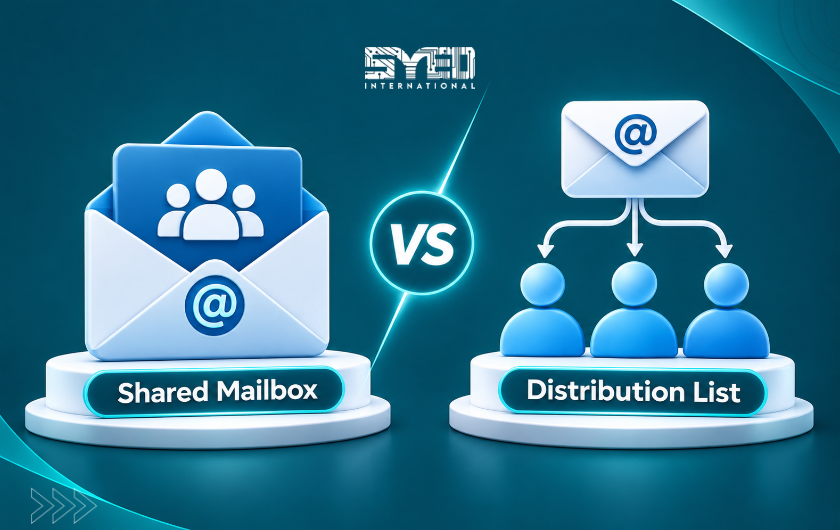
Shared Mailbox vs Distribution List for Small Business
Choose an appropriate email arrangement by separating messages that need a shared team response from announcements delivered to multiple recipients.
Shared Mailbox vs Distribution List for a Small Business
A shared mailbox provides a common mailbox that authorised people can access. A distribution list sends messages to a defined group of recipients. Both can involve several employees, but they support different ways of working.
The shared mailbox vs distribution list for a small business decision becomes clearer when you ask one question: does the team need to handle a conversation together, or does everyone simply need to receive the message?
A sales enquiry, a support request and an internal announcement do not necessarily need the same arrangement. This guide explains how to choose around the work, define reply ownership and test the result before customers depend on it.
Start With the Purpose of the Address
Write down why the address exists and what should happen when a message arrives. An address used for customer enquiries may need active monitoring, replies and absence cover. An internal announcement address may primarily distribute information.
Ask the employees involved to describe a normal example. Who reads the message first? Who decides the next action? Where should another colleague see the conversation later?
These questions are more useful than starting with the number of recipients. Three people receiving the same email does not explain whether they need one shared working history or three independent copies.
Understand the Basic Difference
Microsoft describes the available group arrangements in its comparison of Microsoft 365 group types. Distribution groups and shared mailboxes are separate options with different purposes. Microsoft Learn
A distribution list can be useful when a message should reach several recipients. A shared mailbox supports authorised access to a common mailbox. Neither description automatically establishes who is responsible for responding.
Keep the technical choice connected to the business process. A correctly configured address can still produce missed requests if everyone assumes another employee will handle them. The arrangement needs an owner as well as working delivery.
Use a Shared Mailbox for a Common Customer Conversation
A shared mailbox can suit functions such as reception, support or general enquiries when several authorised employees need access to the same mailbox. Microsoft’s shared mailbox guidance explains its intended use and permission considerations. Microsoft Learn
Consider a small service company whose sales employee is sometimes away from the office. A colleague may need to review an enquiry and continue the conversation without asking the customer to send everything again.
The business should still define coverage. Decide who monitors the mailbox during ordinary hours and who handles absence. Shared visibility is useful, but it does not remove the need for a person to take responsibility for the next action.
Use a Distribution List for Appropriate Group Delivery
A distribution list can suit announcements intended for several people. For example, an internal office update may need to reach a defined employee group without creating a shared customer-service workflow.
Decide who is allowed to send messages to the list and who maintains its membership. An outdated recipient list can leave new employees uninformed or continue sending information to people who no longer need it.
Also consider the sensitivity of the content. A group created for broad announcements may not be suitable for confidential personnel information. The name of the list should make its purpose clear so senders are less likely to choose the wrong audience.
Compare the Working Experience
Before deciding, describe what employees should be able to do after receiving a message. The table below compares business needs rather than promising identical behaviour in every client or configuration.
| Business Need | Shared Mailbox | Distribution List |
|---|---|---|
| Common mailbox history | Designed around shared mailbox access | Delivers messages to recipients’ mailboxes |
| General announcements | Possible, but may be unnecessary | Often a suitable starting point |
| Team handling of customer enquiries | Can support shared access and replies | Requires coordination across recipients |
| Absence cover | Colleagues can use authorised shared access | Copies alone may not show who handled the request |
| Membership maintenance | Access permissions need review | Recipient membership needs review |
| Reply responsibility | Must be agreed by the team | Must also be agreed if replies are expected |
| Service workflow | May need additional process or tools | Not a substitute for a customer-service system |
Prevent Duplicate Replies
Duplicate replies often come from unclear ownership rather than a broken email service. Two employees see the same enquiry and each responds without knowing the other has already acted.
Agree a simple handling routine. The team should be able to identify whether a request is unassigned, being handled or waiting for a customer. Use an approach that the available tools support and that employees understand.
Do not assume that moving from a distribution list to a shared mailbox automatically prevents simultaneous responses. The business still needs a consistent way to coordinate activity. Test the process with two users before declaring the issue solved.
Check Sender Identity and Sent Messages
Customers should receive replies from the intended address. Staff also need to understand whether they are replying as themselves, as the shared address or on behalf of it.
Microsoft’s Exchange collaboration guidance describes delegated sending behaviour. Have the administrator configure the appropriate permissions and verify the visible result with a test message. Microsoft Learn
Check where sent messages appear in the actual setup. A colleague covering the address should be able to understand what has already happened. If the reply history is not visible where the team expects it, resolve that before relying on the workflow.
Avoid Informal Shared Passwords
Giving everyone the same password can seem convenient, but it creates uncertainty about access and responsibility. When someone leaves, the company may not know which devices still have the credentials.
Use the supported access model for the chosen service. Record who is authorised and remove unnecessary access when roles change.
Explain the process to employees. Staff should know how to request access rather than borrowing someone else’s account. A clear arrangement is easier to maintain than an informal practice that grows without documentation as more people join the team.
Review Licensing and Capacity Requirements
Do not treat every shared mailbox as automatically free under every circumstance. Requirements depend on the service, users and features involved.
Ask the administrator to check the selected setup against current Microsoft documentation. Storage growth, archiving and other requirements can affect the arrangement. Avoid copying a fixed statement from an old tutorial without checking whether it applies.
The proposal should identify which licences belong to users and whether any additional capability is required for the shared address. This makes the decision reviewable and prevents the business from discovering an important limitation only after the mailbox becomes central to customer communication.
Plan a Change Without Losing Historical Information
If the public address already exists, identify its current configuration before making changes. Record where historical messages live and whether staff have important local archives.
Changing the address’s technical arrangement does not automatically transfer every previous conversation into the intended location. Ask the implementer to explain what happens to existing information and what needs separate handling.
Use a controlled change window and test the live address afterward. Customers should continue reaching the business through the expected route. Keep the previous information accessible until the agreed checks have been completed.
Test the Address With Realistic Scenarios
Send an external test message and ask one employee to respond. Then ask a second authorised employee to review the conversation and identify its status.
Test absence cover as well. The replacement user should know what to do without needing the original employee’s password or a separate explanation for every request.
Check mobile access where it forms part of the workflow, and confirm that notifications behave as expected. A desktop test is not sufficient if the person covering the address normally works from a phone. Record any restrictions so the team understands the supported arrangement.
Recognise When You Need a Helpdesk System
A shared mailbox can become difficult to coordinate when request volumes and responsibilities grow. If employees repeatedly lose track of ownership or need detailed service reporting, review whether email alone remains suitable.
A helpdesk or customer-management system may provide a better way to assign work and track progress. The right decision depends on the process, not a universal message-count threshold.
Look for evidence such as repeated duplicate replies, missed follow-ups or frequent manual status checking. These patterns can justify a workflow review even when the mailbox itself is technically functioning correctly.
Frequently Asked Questions
Which option is better for a sales address?
A shared mailbox may fit when several employees need a common conversation history and coordinated replies. A distribution list may fit a simpler notification requirement. Review how enquiries are assigned and followed up before choosing. The address name alone does not determine the correct design.
Can a distribution list replace a shared inbox?
It can distribute messages, but that does not automatically provide the same shared working experience. Recipients may handle their own copies separately. If the team needs common visibility into replies and ongoing customer conversations, assess a shared mailbox or another suitable collaboration tool.
Will a shared mailbox prevent every missed enquiry?
No. It improves access to a common mailbox, but people still need clear responsibilities. Define monitoring, absence cover and follow-up practices. A technical setup cannot compensate for an address that nobody checks or a request that everyone assumes belongs to someone else.
Should staff share the mailbox password?
Use the provider’s supported permission model rather than informal password sharing. Authorised access is easier to review when roles change. Ask the administrator to document how users receive access and how that access is removed when it is no longer required.
What should be tested after setup?
Check incoming delivery, the visible reply address, sent-message visibility and access for each relevant user. Include the devices staff actually use. Then rehearse an absence-cover scenario so the business knows that another employee can continue the work.
Choose Around the Team’s Responsibility
Shared mailbox vs distribution list for a small business is a workflow decision as well as a technical one. Identify whether you need common handling or group delivery, then test the chosen arrangement.
To discuss your business email requirements, visit Syed International with your current addresses and team responsibilities. A clear description of how enquiries are handled makes it easier to plan an email setup that supports customers consistently.