
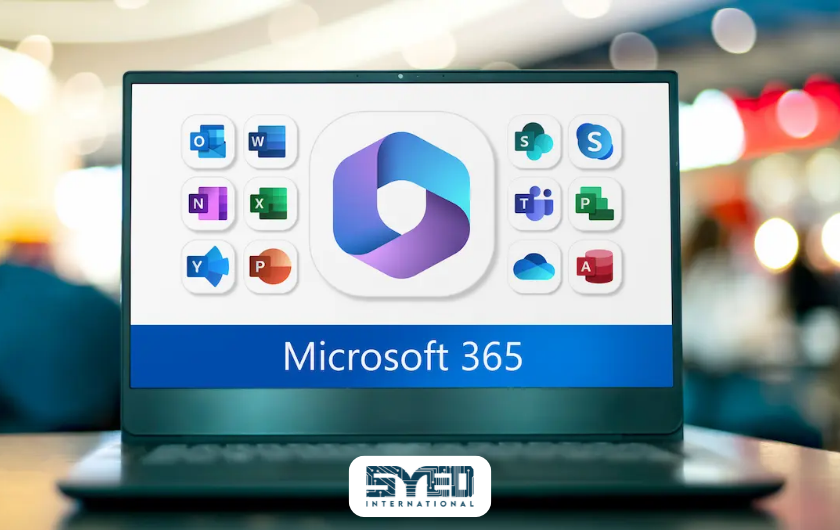
MS Office Subscription: A Practical Buying Guide
Understand what to check before subscribing, how to plan accounts and deployment, and why renewal terms and business ownership matter after installation.
MS Office Subscription: How to Choose and Manage the Right Plan
An MS Office subscription usually refers to a Microsoft 365 plan that provides access to specified applications and services for a recurring fee. The exact package matters. Some plans focus on personal use while others support business email, staff accounts and organisation management. Paying for a subscription does not automatically include every Microsoft product or feature. This guide explains how to turn a general request for Office into a clear purchasing decision. It covers required applications, account ownership, deployment, renewal and ongoing support. For businesses in Pakistan, understanding those responsibilities helps prevent a straightforward software purchase from creating avoidable access or billing problems later.
What Does an MS Office Subscription Include?
The included applications depend on the plan. Do not assume that every subscription provides installed desktop versions of Word, Excel and PowerPoint. Some options centre on browser and mobile access. Others include desktop applications alongside additional services. Check the current product description against the tasks your users must complete, especially when important work depends on particular desktop features.
Microsoft’s business plan comparison helps identify these differences. Business Basic focuses on web and mobile applications, while Business Standard includes desktop applications. Business plans can also support company email and organisation administration. Read the exact version and regional offer because similarly named packages may differ, including whether Microsoft Teams is included.
Describe the Work Before Choosing the Plan
Prepare a simple picture of how staff work. Identify who edits documents, who handles complex spreadsheets and who mainly uses email. Record the devices involved and whether employees work remotely. These details help you evaluate the subscription through actual requirements rather than choosing the cheapest name or the largest feature list.
Include any files that must work reliably. A finance team may use a workbook with specific functions or integrations. A sales team may need shared templates and consistent access across devices. Test representative tasks before committing to a wider deployment. A short practical review can reveal that some staff need different capabilities from others, which should be considered within the applicable licensing arrangements.
Separate Personal Convenience From Business Administration
Personal and family plans address different purchasing needs from organisation-managed business plans. A business may require centrally controlled accounts, company email and a clear process for staff changes. Check whether the proposed product supports those requirements. Do not treat the number of people mentioned in a consumer offer as proof that it is an equivalent business environment.
Account ownership deserves attention before installation. Your organisation should understand who holds administrative access and who controls recovery information. If one employee’s personal account becomes the only route to important services, a later departure can create difficulty. Discuss the business structure through Syed International and identify the requirements before treating the purchase as a collection of unrelated user logins.
Check the Difference Between Email Software and Mailboxes
An email application and the service hosting your mailbox are separate components. Your staff may already use Outlook with another provider. Changing the application licence does not automatically migrate messages or create company-domain email. Explain whether you need only the application or also a change to the underlying email service.
If email is moving, identify the current provider, mailbox sizes and important shared addresses. Record who controls the domain settings and how incoming mail will be handled during the transition. Website enquiry forms may also send through an existing service. Include them in the review so a software change does not accidentally interrupt customer messages that originate outside employees’ inboxes.
| Requirement | Question to resolve |
|---|---|
| Desktop applications | Which employees need installed apps and specific features? |
| Business email | Is a hosted company mailbox required or only an email application? |
| Shared files | Who should own, edit and recover important documents? |
| Administration | Who controls user access and account recovery? |
| Billing | What is the commitment term and payment schedule? |
| Support | Who handles setup, staff changes and technical problems? |
Read Commitment Terms Before Comparing Monthly Figures
A monthly price display can describe different arrangements. It might represent a genuinely monthly subscription, an annual plan billed in instalments or a monthly equivalent of an annual payment. These are not interchangeable commitments. Read the billing frequency and term together before deciding that two offers have the same flexibility.
Microsoft’s business cancellation guidance explains that annual commitments paid monthly can still involve charges for the remaining term. Exact conditions depend on the purchasing arrangement. Ask the seller to state renewal, cancellation and seat-change rules clearly. A useful quotation should explain the commitment rather than show an attractive monthly figure without context.
Plan Deployment Around a Small Pilot
Start with a manageable group representing the main ways your team works. Test sign-in, required applications and access to relevant files. Include someone who uses a different device or has more demanding document requirements. The purpose is to identify practical problems before everyone depends on the new setup.
Record the pilot results and resolve significant issues before expanding. Installation alone does not prove the environment is ready. Staff should be able to find their documents, communicate through the intended accounts and complete essential tasks. Explain any changed habits through short demonstrations. A planned rollout helps employees understand the new process rather than discovering it during an urgent customer request.
Keep Important Documents Under Clear Ownership
Decide where shared business material belongs and who manages it. A document needed by several departments should not become inaccessible because one person changes roles. Agree the expected location for approved templates, working drafts and completed records. Give users enough guidance to follow the structure without creating excessive administrative work.
Review access with realistic examples. Ask whether the correct person can open, edit and share a document. Confirm how the team will recover from mistakes and how sensitive information should be handled. Software capabilities are only part of the answer. Your organisation must also decide who is responsible for reviewing permissions and helping staff use the system appropriately.
Treat Staff Changes as a Defined Process
When someone joins, they need the appropriate account, applications and access. When someone leaves, the organisation needs to preserve required business information and remove access appropriately. Write down who authorises these actions and who performs them. Avoid treating a departure as simply deleting a login without reviewing the information connected to it.
Licensing and information retention involve separate considerations. Removing an entitlement can affect access without answering where the business records should go. Before making changes, review the current service documentation and your organisation’s requirements. Keep the process consistent so managers do not have to invent a new approach every time a staff member changes department or leaves the company.
Understand What Happens at Renewal or Cancellation
An MS Office subscription needs an owner who reviews upcoming renewals and changes in requirements. Check whether staff still need their assigned capabilities and whether the subscription details remain correct. Keep billing contacts current. Missed notices are harder to resolve when the original purchasing contact is no longer involved with the business.
Before cancellation, plan how required information will remain available. Microsoft’s guidance on business subscription expiry describes changes to access and service states. Do not rely on an assumed grace period as your recovery plan. Confirm the applicable terms and preserve necessary data before making a change that could affect everyday work.
Ask for a Useful Setup and Support Scope
A subscription quotation should distinguish licensing from implementation. Ask whether the arrangement includes account creation, email migration, device setup or training. These activities can require separate work. A licence purchase does not automatically mean someone has reviewed your existing environment or accepted responsibility for every future support request.
Request a handover that explains important accounts, renewal responsibilities and the support route. Your team should know whom to contact when an employee cannot sign in or a mailbox needs attention. If the business also relies on website forms and integrations, discuss those dependencies. Website maintenance support and email administration should have clearly identified owners where their responsibilities intersect.
Frequently Asked Questions
Is an MS Office subscription the same as buying Office once?
No. A subscription provides access under an ongoing plan, while a one-time edition uses a different purchasing arrangement. The applications and services can differ. Compare the exact product and intended use rather than assuming that identical app names mean the complete packages are equivalent.
Does every subscription include installed desktop apps?
No. Some plans provide web and mobile access rather than the full installed desktop suite. Check the plan details and test the functions your team needs. This is particularly important for specialist documents, workbooks and integrations that may depend on a specific application environment.
Can a business use different plans for different staff?
Different roles can have different requirements, and a mixed approach may be appropriate within the available licensing rules. Review each role and the services it needs. Confirm compatibility, administration and purchasing conditions with the provider before assuming that any combination will operate exactly as expected.
Can I keep my existing business domain?
Usually, a business email project can work with a domain you already control. The setup needs access to the relevant domain records and a migration plan where email is moving. Confirm the existing services before changes begin. A domain name, website hosting and email hosting can have different operational responsibilities.
What information should I send when requesting help?
Provide your staff count, required applications, devices and current email arrangement. Mention important shared files or special workbooks. Explain whether you need licensing only or also migration and ongoing administration. These details help the provider recommend a suitable scope and identify questions that need technical review.
Choose the Subscription and the Operating Process Together
An MS Office subscription becomes useful when the selected capabilities fit the way your team works. Review applications, ownership and billing terms together. Pilot important tasks and plan staff changes before deployment. The goal is a manageable environment that supports daily work rather than a software purchase that nobody clearly owns afterward.
To review your business requirements, contact Syed International with your current setup and the changes you need. Include email and document-sharing requirements as well as application names. That creates a practical starting point for selecting and managing an appropriate Microsoft 365 plan.