
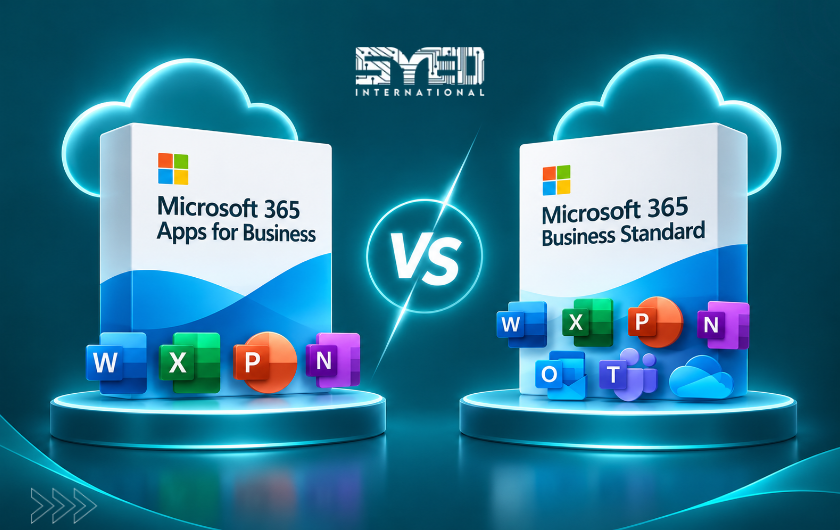
Microsoft 365 Apps for Business vs Business Standard
Understand whether your business needs Office applications alongside an existing email service or a broader Microsoft 365 environment with hosted business email.
Microsoft 365 Apps for Business vs Business Standard: Which Fits Your Team?
Microsoft 365 Apps for business and Microsoft 365 Business Standard can both appear suitable when employees need familiar Office applications. The decision becomes clearer when you separate application access from hosted business email and shared organisational services.
A comparison of Microsoft 365 Apps for business vs Business Standard should begin with your existing environment. Are you keeping a working email service, or do you want Microsoft 365 to handle company mail as well? Where should team documents live, and who will administer access?
This guide explains how to prepare those requirements. It focuses on practical business decisions rather than treating the longer feature list as an automatic reason to buy.
Understand the Main Difference
Microsoft 365 Apps for business focuses on productivity applications and associated services such as OneDrive storage. Business Standard combines desktop applications with a broader business service package, including Exchange-hosted business email. Check the exact current offer and regional variant before purchasing.
Microsoft’s Apps for business product page and business plan comparison provide the starting point for verifying these capabilities. Microsoft 365
The important question is whether the additional services solve a requirement. If the business already has a suitable email environment, keeping it may be deliberate. If account management and shared work are fragmented, a broader deployment may deserve consideration.
Separate the Email Application From the Mailbox
Employees often ask for Outlook when they mean different things. One person wants the desktop application, another wants a company-domain address, and someone else wants access to shared customer conversations.
These requirements should be clarified separately. The application provides an interface, while the mailbox service handles the email account. The two need a supported configuration and suitable licensing.
Ask users to explain the problem they are trying to solve. If their existing mailbox works but they need a different interface, that is not automatically a reason to migrate all company email. If the organisation needs centrally managed business mail, the discussion is broader than installing an application.
Review Your Existing Email Arrangement
Record where mailboxes are hosted and who administers them. Include individual accounts, public enquiry addresses and any devices or websites that send messages.
Assess the current arrangement through ordinary tasks. Can staff access important conversations? Is coverage clear when someone is absent? Can the business recover account access without depending on one employee?
Avoid assuming that moving platforms fixes every delivery problem. A website using incorrect sender settings may continue to fail after a migration. Diagnose existing problems and identify which ones the proposed service change is expected to address.
Decide Whether You Need a Broader Shared Workspace
Document collaboration involves more than installing Word or Excel. The business needs to decide where team information belongs and who can maintain it.
Ask where the approved quotation template lives today. If employees use several different copies, purchasing more features will not automatically establish the correct version. Someone must define the shared location and the approval process.
When comparing Microsoft 365 Apps for business vs Business Standard, consider the intended working environment rather than only individual applications. A company may need shared departmental information, or it may mainly need users to create and exchange documents through an existing system.
Use a Requirements Table Before Comparing Offers
A requirements table keeps the discussion grounded in business tasks. It also helps avoid buying a product because a supplier described it as the most popular choice.
The table below is a decision aid rather than a complete licensing matrix. Confirm every essential capability against the selected offer and the current Microsoft documentation.
| Requirement | Question to Resolve |
|---|---|
| Desktop applications | Which employees need installed applications? |
| Existing business email | Will the current provider remain in use? |
| New hosted mailboxes | Does the proposed plan include the required email service? |
| Shared documents | Where will team-owned records live? |
| Meetings and collaboration | Which services and variants are required? |
| Migration | What existing information must move? |
| Administration | Who manages accounts and changes? |
| Support | Who investigates problems across applications and services? |
Consider Keeping Email Separate When Appropriate
Keeping a functioning email service can be reasonable when it meets the company’s needs. The business should understand the reasons for that decision and the responsibilities it creates.
For example, a small design studio may primarily need desktop applications while using an established communication system. Moving email at the same time could introduce work that does not solve an immediate problem.
However, separate services still need coordination. Record which provider handles application access and which handles mailbox issues. When a problem involves both, staff should know who will investigate first and who follows the case through to resolution.
Consider Business Standard When Hosted Email Is Part of the Requirement
A business seeking company email alongside desktop applications should review the broader service arrangement offered through Business Standard. Confirm the exact included capabilities instead of assuming every Microsoft feature is part of the package.
The service can still require substantial setup. Domain configuration, mailbox design, staff access and historical data transfer do not happen merely because a subscription has been purchased.
Plan the deployment around actual users. The sales team may need a shared enquiry route, while managers need ordinary individual accounts. Record those requirements before provisioning so the initial configuration reflects the way the organisation communicates.
Treat Migration as a Separate Project
Changing subscriptions and moving data are different operations. Your current messages, documents and archives need an inventory and a suitable transfer method.
Identify what must move and what can remain in an approved archive. Ask staff about information stored only on their computers. A server-side mailbox transfer cannot automatically collect a local file that was never stored on the source service.
Define acceptance before starting. Users should verify familiar messages and documents, not merely confirm that they can sign in. Keep the source available through the agreed checking period so omissions can be investigated.
Test Documents and Devices Before Rollout
Choose representative documents and ask the intended users to complete normal tasks. Include files with established formatting, formulas or integrations where those details matter.
Review the finished output. A workbook that opens but produces unexpected results is not ready for everyday use. Similarly, a presentation that displays correctly on one computer may still need checking on the devices staff use for meetings.
Record any limitations and decide how they will be handled. The pilot may identify training needs or a technical adjustment. It should give the business evidence for the rollout rather than an impression based only on a demonstration.
Compare the Complete Operating Commitment
A subscription price does not describe the whole project. Consider installation, migration, account administration, training and ongoing support.
Ask for a written distinction between recurring charges and one-time work. Confirm the commitment period and what happens when the business needs to add or remove users.
A lower-priced product can still be suitable, but the comparison should include the separate services it requires. Equally, a broader package is not automatically valuable if its additional capabilities remain unused or poorly configured. Match the arrangement to the team’s requirements and ability to maintain it.
Assign an Owner After Deployment
Someone within the business should coordinate routine changes, even when a supplier performs the technical work. That person should know who approves new accounts and how departures are handled.
Document which provider controls each part of the environment. Keep renewal notices and recovery arrangements under suitable business control.
Review the setup when responsibilities change. An employee who originally needed only document editing may later require a different working arrangement. A deliberate review is better than leaving licences and access unchanged simply because the initial deployment worked.
Frequently Asked Questions
Is Apps for business the same as Business Standard?
No. They are distinct products with different service combinations. Review the current product descriptions and exact quotation. The comparison should cover hosted email and organisational collaboration requirements as well as application access.
Does needing Outlook automatically mean I need Business Standard?
No. First establish whether the requirement concerns an application, a hosted mailbox or shared email management. The appropriate setup depends on the existing provider and selected licences. Ask the supplier to explain the complete arrangement using your actual workflow.
Can I keep my current email provider?
That may be appropriate when the existing service meets your needs and the chosen applications support the intended connection. Confirm compatibility and responsibility for support. Keeping services separate should be a deliberate decision with a clear operating plan.
Will changing plans automatically transfer old email?
No. Historical email migration requires its own method, access and verification. Include local archives, shared addresses and devices in the scope. A newly activated subscription is not proof that the information employees depend on has been transferred.
Which plan should a small business choose?
Begin with the required applications, email arrangement and shared work. Then compare the exact offers and deployment responsibilities. Business size alone does not determine the answer. The suitable option is the one that meets verified needs and can be managed consistently.
Choose the Environment Your Team Needs
Microsoft 365 Apps for business vs Business Standard is best understood as a decision about the complete working environment. Clarify email, document collaboration and support before selecting a product.
For a requirements discussion, visit Syed International with your current provider details and staff needs. A clear brief helps connect the selected subscription with a practical deployment and an understandable handover.