
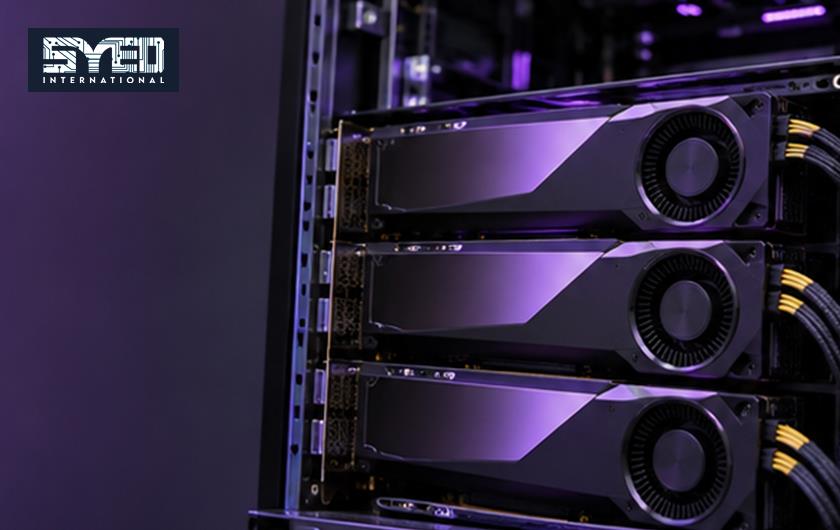
GPU VPS Hosting in Pakistan: How to Choose a Plan for AI Inference and Rendering
Compare GPU memory, allocation, storage and billing for inference and rendering. Get a hosting quote based on a representative workload.
A GPU server quote can look straightforward until you try to compare what the plans really allocate. Two virtual servers may use the same GPU family and still differ in graphics memory, scheduling, drivers or sustained performance. For a team processing images or serving an AI model, those differences show up as missed deadlines or a service that works in a pilot but cannot handle its busiest hour. A good quote starts with a small workload the provider can reproduce or you can test.
When evaluating GPU VPS hosting in Pakistan, describe what you run, the data sizes, whether jobs are interactive and how often the GPU will be busy. Request the data-centre location and indicative network latency separately from the support location. A provider serving Pakistani customers can operate infrastructure overseas. Use your actual upload route and application timings to decide whether the location works for your team.
Separate model inference from rendering
An inference service usually accepts requests throughout the day and has a target response time. A rendering queue is often measured by how many frames or scenes it completes by a deadline. Both may make frequent use of the same type of hardware, yet the test that predicts business value is different. Select a representative project and record the software, version, expected output and time you consider acceptable.
For inference, measure both speed and concurrency
Record the model or family, runtime, precision, expected request sizes and how many requests can arrive simultaneously. For a text service, the length of input and output can change memory use and speed. For image or video analysis, resolution and batch sizes can matter. Define whether the user waits for a result or whether the result can be queued. A provider demonstration that handles one small request may not show how the system behaves when a group of customers arrives together.
For rendering, test a representative scene or frame range
Choose a frame or scene with the textures, lighting, effects and output quality you use in production. If your software has separate CPU and GPU modes, confirm exactly which renderer or plugin supports the offered card and operating system. Measure preparation time, GPU processing and export separately. A test on a lightweight file can miss the memory demands of a real scene with complex assets. Include a second sample if your projects divide into two very different types.
| Buying question | Inference service | Rendering workflow |
|---|---|---|
| Useful test | Typical request and concurrent request peak | Representative scene or frame range |
| Performance measure | Latency, throughput and error rate | Completed frames or jobs per hour |
| Memory requirement | Model, runtime and concurrency overhead | Scene geometry, textures, effects and buffers |
| Storage requirement | Model files, caches, logs and working datasets | Assets, scratch space and rendered output |
| Cost check | Cost at expected uptime and peaks | Cost per finished project and idle time |
Compare what each GPU quote actually provides
Ask for GPU model and usable graphics memory, expressed as the amount your VM can see. Confirm whether the GPU is passed through as a whole device, split into a defined allocation or shared under a scheduling policy. Ask which limits are guaranteed in the contract. If a provider quotes a physical card model, ask whether the entire capacity is included. Where several users can share the underlying equipment, ask what options are available for workloads that need consistent sustained performance.
Confirm VRAM with measurements
System RAM and GPU memory have different roles. A machine can have plenty of system memory and still run out of GPU memory during part of the job. Measure peak GPU memory on the sample, including any transient step such as loading a scene or warming up a model. Confirm the result stays within the proposed allocation when expected requests run together. Leave room for the software version and project size to grow. Test solutions that trade memory for speed against the quality and runtime your team actually needs.
Make drivers and software compatibility explicit
List the operating system, GPU software stack, container runtime if relevant, and renderer or inference framework. Ask the host to identify the supported driver and any available base image. Confirm you can reproduce the installation from documented dependencies. A studio may also need access to a licence server, and commercial tools can have different terms for cloud use. Resolve software licensing separately from the hardware quotation. Include the version and support owner in the handover so updates can be tested before production.
Include CPU, disk and networking in the test
Choosing GPU VPS hosting in Pakistan also means evaluating how data reaches the card. CPU preprocessing can slow down image inference. A rendering scene can spend minutes loading large textures before the GPU begins work. Test uploads from your office or production system, measure how long the runtime takes to stage data, and confirm output can be downloaded or exported at the required rate. Ask what happens to attached storage and network addresses if a machine must be rebuilt.
Plan storage for model versions, image sequences, intermediate files and logs. Calculate a realistic allowance for failed or repeated jobs and keep backups or authoritative copies outside volatile scratch space. Ask which parts of the system are your responsibility to back up. If your pipeline is connected to a customer portal, a custom application development review can establish which jobs should be queued and how clients will see job progress and retry options.
Price work completed over the whole billing period
A fixed monthly plan can be easier to budget for a worker that runs most of the time. Metered billing can fit temporary jobs or prototypes if capacity is available when you need it. Ask which services remain billable when compute stops, including storage or reserved addresses if applicable. Make the cost model in the contract currency and confirm applicable taxes, the billing unit and any traffic charges.
Decide when to ask about dedicated hardware
Dedicated hardware may be worth comparing when a sustained rendering queue occupies the accelerator most days or when the workload has unusual needs for multiple cards and predictable resource access. Ask how long provisioning takes and what hardware service is included. Syed International’s dedicated GPU servers can be considered alongside the virtual plans when you have measurements to justify evaluating the two options. Include recovery time and replacement arrangements in that decision.
A useful cost comparison divides the expected monthly bill by the number of jobs that complete successfully or the number of requests served at the agreed quality level. Include software, storage, transfer and the staff time required to operate the environment. A higher hourly rate can still cost less per project if it finishes the work sooner, but calculate this with measured runtimes and the actual number of idle hours in the schedule.
Test the recovery path before putting customer work on the server
Ask what happens when a GPU instance needs to be rebuilt or moved to another host. Run the representative workload after a clean setup and compare the result to the original test. Record how you restore model files, scene assets and any job queue, along with the estimated time to do so. For an inference service, decide how clients are told a job needs to be retried. For a studio, make sure the input scene and output still exist if the worker is replaced before the export finishes. Keep the benchmark notes with your deployment instructions and repeat the same sample after major driver or runtime updates. This gives you a consistent basis for deciding when it is worth moving to another tier. In procurement, the time your team spends restoring a failed node belongs beside the advertised cost of the plan.
FAQs
How much GPU memory do I need?
Measure your model or scene on a representative run and check peak demand with normal concurrency. Ask the provider how much memory the environment actually exposes to your VM. Include enough capacity for routine growth and any temporary memory spikes observed in the test.
Can the same GPU VPS run training as well as inference?
Some environments can support both. Training may put a different load on memory, processing time, disk and networking, especially for larger models or several devices. Describe both jobs and test each on the proposed environment so your purchase reflects the stricter requirement.
Does using a local supplier mean my server is in Pakistan?
Confirm the facility and support arrangements as separate details. Ask for the hosting region, test access from your users or offices, and confirm any contractual requirements about where project data is stored. Choose a region using measured results and your organisation’s requirements.
What should I send to compare GPU VPS hosting in Pakistan?
Provide the software version, job type, typical data size, measured GPU memory if available and the duration or concurrency target. If the workload has to run at a specific time or the data cannot be hosted in certain locations, include that information in the brief.
Request a quote using your real workload
Send one anonymised workload description, compatibility requirements, expected operating hours and the date you need capacity. Request a GPU hosting quote and include whether you would like a short evaluation with a representative job before making a longer commitment.