
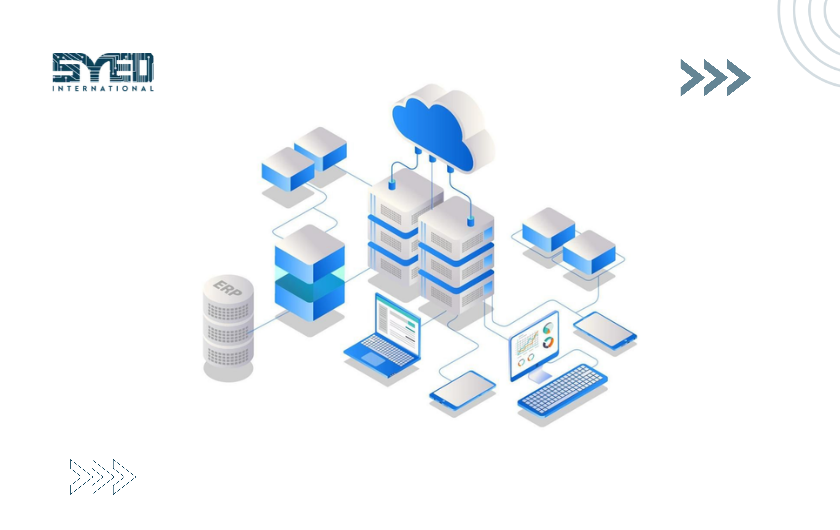
Cloud Backup for Small Business in Pakistan
Build a backup plan around the information your business needs to recover, including coverage, access separation and realistic restoration tests.
Cloud Backup for Small Business in Pakistan: Plan for Recovery
Cloud backup creates recoverable copies through an online service, but the useful outcome is restoring the right information when needed. Cloud backup for small business in Pakistan should therefore begin with data ownership, coverage and recovery requirements. A completed job notification does not by itself show that the business can resume work after a problem.
This guide explains how to identify what needs protection, choose practical recovery goals and test the result. It also highlights the difference between a backup product and the wider process required to recover documents, applications and staff access after disruption.
Identify the Information the Business Depends On
List the systems and records used to deliver everyday work. Include website databases, accounting information, shared documents and relevant employee devices. Ask staff where important files actually live rather than assuming every record is already stored in an approved folder. Small businesses often discover useful information scattered across laptops, external drives and individual cloud accounts.
Give each collection an owner who can explain its purpose and importance. Not every file requires identical protection, but decisions should be deliberate. Identify what can be recreated easily and what would be difficult or impossible to reconstruct. This inventory helps the provider propose appropriate coverage and prevents the business from protecting one server while overlooking equally important records elsewhere.
Distinguish Backup From Synchronisation
Synchronisation keeps information aligned between locations or devices. That can be useful, but a change or deletion may also be synchronised. Backup arrangements are evaluated through the recoverable copies and history they retain. Do not assume that seeing a file in two places means it is protected against every mistake affecting the active information.
Review the actual service behaviour. Some platforms combine synchronisation with version history or recovery features, while other products provide separate backup policies. Ask what happens when a file is accidentally overwritten and when the source account becomes unavailable. The answer should identify which copy remains accessible and who can restore it. Product names alone do not establish whether the recovery requirement is met.
Define How Much Loss and Delay Are Acceptable
Decide how much recent information the business could tolerate losing after a failure. Then decide how long an important service could remain unavailable. These are separate questions. A daily copy might be appropriate for one collection while being too infrequent for another system that changes throughout the day.
AWS’s disaster recovery explanation describes recovery point and recovery time objectives. Use the concepts in plain language when discussing your needs. The figures are targets to design and test against, not automatic promises from purchasing a product. Involve the people who understand the business impact so the technical plan reflects actual priorities rather than arbitrary default settings.
Check What the Backup Includes
Ask whether the service protects files, databases, configurations and other required components. A website needs more than its image folder, and an application may depend on information stored across several services. Confirm exclusions and the process for adding new sources. A backup plan can become incomplete when the business launches a new system but nobody updates its protection scope.
Review whether the backup method captures data consistently for the application involved. A collection of copied files may not be equivalent to an application-aware recovery process. Ask the technician to explain the restore method in terms the business can understand. You should know what would be available afterward and what additional work would still be required before employees can use the system normally.
| Backup Decision | Practical Question |
|---|---|
| Coverage | Which systems and data are included or excluded? |
| Frequency | How much new information could be missing after recovery? |
| Retention | How far back can the business select a usable copy? |
| Access | Who can change policies or remove copies? |
| Restoration | How will the information be recovered and checked? |
| Monitoring | Who responds when a job fails? |
| Exit | How can data be retrieved if the provider changes? |
Protect Backup Access Separately
Consider what happens if the credentials used for everyday work are compromised. If the same access can immediately remove every backup, the recovery plan may be weaker than expected. Ask how the service separates administration and protects retained copies. Review the product’s actual controls rather than assuming every cloud account provides equivalent protection.
The CISA ransomware guidance recommends protecting backups and testing their availability and integrity. Discuss appropriate isolation or immutability options where relevant to your environment. These features still need correct configuration and ownership. The business should understand who can change protection settings and how emergency access will work when normal systems or accounts are unavailable.
Review Connectivity and Restore Practicalities
An online backup depends on connectivity for transfer and recovery. Review the initial data volume and the rate at which it changes. Ask how the service handles interrupted transfers and whether ongoing work will be affected. The first upload can be a different planning problem from routine incremental protection after the baseline is established.
Restoration needs its own practical assessment. Downloading a large collection may take time, and the business may need replacement equipment or an alternative destination. Ask whether partial recovery is possible when only a small set of records is urgently needed. A plan that can eventually restore everything may still be unsuitable if employees cannot access the priority information soon enough to continue essential work.
Set Retention Around Real Recovery Scenarios
Retention determines how far back recoverable copies remain available. Consider when the business might discover a mistake. An error noticed immediately differs from one found after several weeks. Choose an arrangement that reflects those scenarios and any applicable record obligations, obtaining appropriate advice where required. Do not assume the longest possible retention is automatically the best choice for every collection.
Review storage growth and policy changes over time. More data and longer history can affect the service arrangement. Keep a record of who approves changes and why. Cloud backup for small business in Pakistan should remain connected to actual recovery needs rather than a policy that was selected once and forgotten. A periodic review can identify new systems, unnecessary collections and gaps in protection.
Test Restores With the People Who Use the Data
Choose a realistic sample and restore it through the intended process. Verify that files open and that the relevant application can use the recovered information. Ask a business user to confirm that the result is meaningful. A technician may establish that a database exists while the employee identifies a missing document or an unusable workflow.
Record the time, steps and issues encountered. Keep testing proportionate, but include the recovery scenarios that matter most. Avoid restoring over live information without a controlled plan. A suitable test environment can help verify the process safely. The purpose is to discover gaps before an actual incident forces the business to learn about permissions, missing keys or incomplete configuration under pressure.
Monitor Failures and Assign an Owner
A backup system needs someone to review its status and act on failures. Decide who receives alerts, how quickly they are assessed and how unresolved issues are escalated. A notification sent to an unmonitored inbox does not provide an effective operating process. Include coverage checks as well as job success, because a successful job may still protect only part of the intended environment.
Ask for reports that explain meaningful issues without overwhelming the business with technical output. A useful report identifies protected sources, recent failures and actions requiring approval. Discuss these expectations with Syed International when reviewing cloud backup for small business in Pakistan. The service should have understandable responsibilities after setup rather than depend on an assumption that automation needs no supervision.
Plan Recovery and Provider Changes
Document how recovery is requested, approved and carried out. Keep the necessary contacts and account information accessible when the main environment is unavailable. Identify who decides which copy to restore and who verifies the result. The business may also need a plan for reconciling new work created after the selected recovery point.
Review how data can be retrieved if the contract ends or the provider changes. Confirm the available export or restore methods before relying on the service. A backup arrangement should support business ownership over time. Ask about required licences, tools and access so the company understands what it needs to recover its information independently of the person who originally configured the system.
Frequently Asked Questions
Is cloud backup the same as cloud storage?
Not necessarily. Storage provides a place for information, while backup suitability depends on recoverable copies, history and restoration behaviour. Review the actual service rather than the label. A folder stored online may still be affected by deletion or account problems in ways your business has not considered.
Does a successful backup notification prove recovery will work?
No. It is useful evidence about the job, but recovery also depends on coverage, access and the condition of the captured information. Test an appropriate restore and verify the result. A business should know how to use its protected copies before an incident makes recovery urgent.
How often should backup jobs run?
The schedule should reflect how quickly important information changes and how much recent work the business could tolerate losing. Different systems may need different arrangements. Discuss the requirement in business terms and test the implementation. Avoid selecting a schedule solely because it is the provider’s default option.
Can ransomware affect backups?
It can affect accessible copies or administrative access, depending on the environment and controls. Review separation, protection settings and recovery access carefully. No product label removes the need for configuration and testing. The backup plan should account for a problem involving the active environment rather than assuming it will remain trustworthy.
What should a backup proposal explain?
It should identify coverage, frequency, retention, access protection and restoration responsibilities. Ask how failures are handled and how data is retrieved when leaving the service. These details make cloud backup for small business in Pakistan a reviewable operating arrangement instead of an unclear promise that all information is safe.
Choose Recoverable Information Over Reassuring Labels
Cloud backup for small business in Pakistan works best when the business knows what is protected and how it will return to use. Define priorities, test restores and keep ownership clear. To discuss the requirement, contact Syed International with your systems and data volumes. A recovery-focused brief helps identify appropriate protection and the work needed to maintain it.